Problem
As part of a larger redesign project for a membership-based organization's web portal, we discovered findability and organizational challenges with the existing portal. We decided to redesign the information architecture (IA) as part of the portal's redesign efforts in order to better meet both their member's needs and their staff's needs.
Approach
First, we conducted a full content inventory of their existing portal's content and worked with our client to audit the inventory before redesigning the IA. One of the first activities in redesigning an IA is a card sort, and for this activity to be a success, it is important to have participants sorting content that will actually be on the portal. An activity like an audit makes sure that when we are choosing the cards for use in the card sort that we are only considering content that realistically will live somewhere on the new portal.

Conceptual IA Deliverable
After the audit was completed, we started to prepare for the card sort using Optimal Workshop's online card sorting tool, OptimalSort (a fantastic tool if you haven't checked it out yet). During our preparations, we discovered our client was curious to see if there were any differences between how their members grouped and labelled content and how the staff that work to provide the content for their members did. As a result, we conducted two card sorts simultaneously: one for members and one for internal staff.
After detailed analysis of the card sorting results from each group, we proposed an IA based on the results from the member's card sort and also surfaced up the similarities and differences between how their members and their staff grouped and labelled the content. Sure enough, there were some similarities, but even more differences than they expected. In presenting these findings, our client learned just how different their staff viewed the content from how the members they serve did, which was a huge discovery for our client.
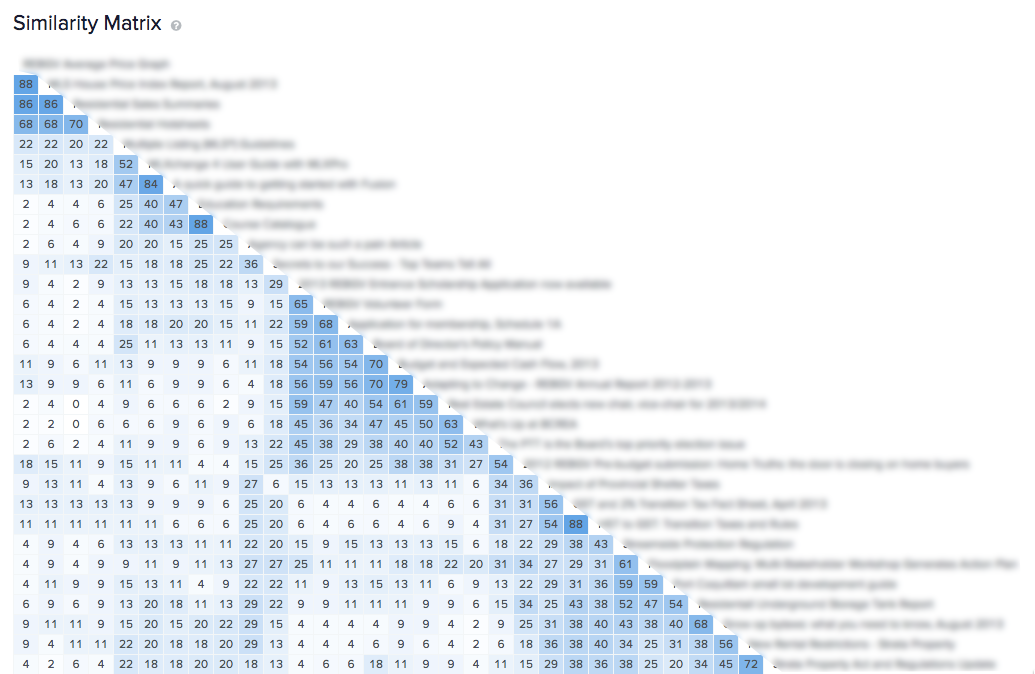
Similarity matrix - One of OmniSort's research tools
We worked collaboratively with our client to further develop the IA until we were both satisfied with one that we would be comfortable testing with their members. It was by no means final and there were still questions that needed answers, but that is why we test it.
In order to test the IA, we used a technique called tree-based usability testing. This type of usability testing allows us to evaluate the IA in isolation of other distracting elements like navigation, search, and page design. To do this, we used an online tool called TreeJack, also from Optimal Workshop, to conduct the testing of the IA by sending members on tasks where they only have the IA as a guide. It's kind of like a scavenger hunt through the IA.
Results
After presenting the results of the task test, we iterated collaboratively on the IA with our client in order to address the findability challenges discovered in task testing and worked towards our final, conceptual IA. As part of the conceptual IA, we outlined an IA strategy to give guidelines for deciding where content should be placed whenever new pieces of content are added to the portal. This IA strategy is not set in stone and is meant to be a living document that evolves over time as content is added and removed.
With the IA strategy set, our conceptual IA finalized, and our client happy with the direction, we moved on to the interaction design phase of the project, in which we started to define the design direction for the portal with both conceptual and detailed wireframes.
Disclaimer: This case study is deliberately high level in order to not contravene my client's NDA.